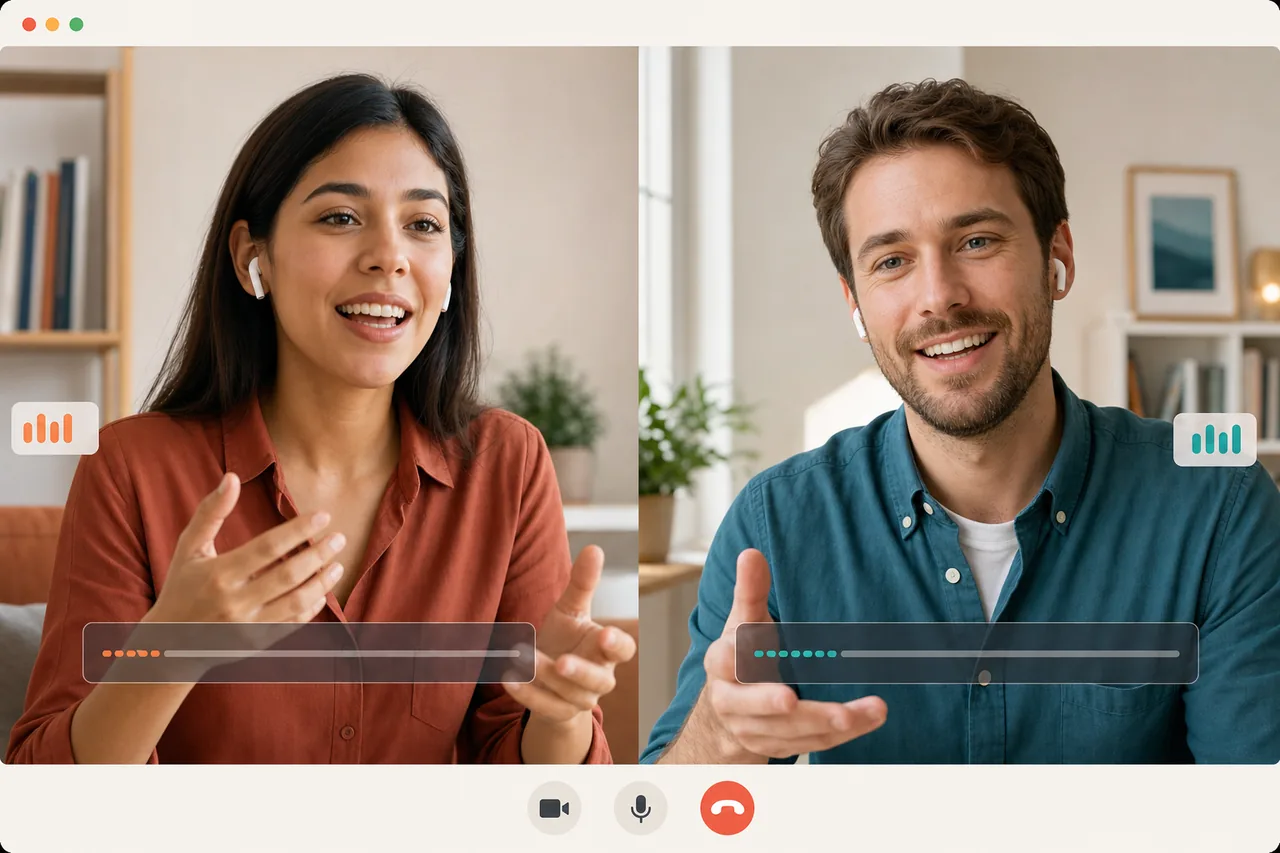
To translate Spanish speech to English in real time on a live call, open a browser room, share the link with the other person, and start talking. You speak English and hear their Spanish translated within seconds; they speak Spanish and hear your English. It runs speech-to-speech, both ways, with captions on both sides — no typing, no taking turns, no app to install. The guest just clicks the link and joins.
That’s the whole point: a real Spanish-English conversation that keeps its rhythm, instead of two people passing a phone back and forth into a text box. Below: how it works, how it’s different from phone translate apps and built-in meeting captions, and what to expect.
How to translate Spanish speech to English live
The setup takes under a minute, because there’s nothing to download:
- Create a room. You log in and open a Talkniva room in your browser.
- Share the link. Send it to your Spanish-speaking contact. They join in their own browser — no account, no install.
- Just talk. You speak English; they hear it in Spanish. They reply in Spanish; you hear English. The translated voice plays in seconds, and captions run on both sides so you can verify anything that matters.
The translated voice sounds natural — but to be clear, it does not clone your own voice. It’s a clear spoken translation you can both follow, not a turn-by-turn text exchange.
A two-way Spanish to English speech translator (not one-direction)
The thing that breaks most “translate Spanish to English” tools on a real call is that they’re one-direction. You speak, it translates, the other person reads — then you wait, switch modes, and they go. That’s fine for asking directions. It falls apart the moment you’re trying to close a deal, run support, or interview someone.
A proper Spanish-to-English speech translator has to carry both halves of the conversation:
- You speak English, the other person hears Spanish.
- They speak Spanish, you hear English.
- Both happen live, in the same call, without anyone tapping a button to switch.
Because both people are in the room, you get English-to-Spanish speech translation and Spanish-to-English at the same time. No one has to be the designated “operator” of the app. You both just talk.
How it compares to apps and built-in captions
Here’s the honest version, because the alternatives partly work and you should know where they stop.
| Phone translate apps (e.g. Google Translate) | Native Zoom / Meet / Teams captions | Real-time room (Talkniva) | |
|---|---|---|---|
| Output | text, or one-direction spoken playback | text captions, not a translated voice | translated voice, both ways |
| Flow | you take turns, one sentence at a time | live, but you still read English while they speak Spanish | live two-way, you hear the other language |
| Setup | both install / configure the app | inside that meeting platform (often a paid tier) | open a link in the browser, guest needs nothing |
| Best for | a quick phrase, a sign, a menu | reading along in a big meeting | a live 1:1 Spanish-English conversation |
The key honest point: the translation built into Zoom, Google Meet, and Microsoft Teams is text captions, not a translated voice — and it’s frequently locked behind a paid plan. Captions are useful, but reading English off the screen while someone talks at you in Spanish is not the same as hearing the conversation. If you live inside one of those platforms, see our notes on Zoom real-time translation for what that looks like today.
Talkniva does not alter another platform as an overlay or plugin. You can still use its own browser room, but there is now a second option for Zoom, Google Meet, and Microsoft Teams: the beta meeting interpreter. Paste the meeting link in Talkniva and a named interpreter bot joins as a participant to carry Spanish and English voice both ways. The host speaks and listens in the Talkniva tab; everyone else remains in the meeting platform and installs nothing from Talkniva.
That external-meeting mode is voice-only — it does not add Talkniva captions or translated video to Zoom, Meet, or Teams — and the bot may need to be admitted from the lobby or waiting room. The host must accept the beta conditions, have permission to bring an interpreter, and inform participants that their audio is processed for translation. For FaceTime or WhatsApp, use the Talkniva browser-room link instead.
When you’d want to listen to Spanish and translate in real time
If your job is to listen to spanish and translate it to English on the fly — and reply so they understand you — the live-room approach earns its keep here:
- A sales or discovery call with a client in Mexico, Spain, Colombia, or Argentina.
- Live customer support where the customer is more comfortable in Spanish.
- An interview, a vendor negotiation, or a partner sync where nuance and numbers matter.
- A 1:1 lesson or coaching session.
These are the moments where freezing up, or breaking flow to type into an app, costs you credibility. For other live-call scenarios and the general approach, see our guide to a real-time voice translator for calls.
A couple of honest limits so you can plan: it does not record the call audio, it isn’t built for certified/legal translation or large multi-party conferences, and there’s no phone dial-out — both people join the same browser link. For a focused, professional Spanish-English conversation, that’s exactly the shape you want.
What it costs
No subscription. You buy prepaid minute packs and pay only for the minutes you actually talk — around US$13.30–20 per hour of translated conversation. Compare that to a human interpreter at $30 to $100+ an hour who has to be booked in advance, and for most 1:1 calls the math is easy. See current packs on the pricing page.
And yes — Spanish is one of the 13 output languages available today, so this works out of the box. Your input speech is detected automatically; you just pick what the other side hears.
Translate your next Spanish call, in real time
You don’t have to be fluent in Spanish to have the conversation that matters. You need a way to translate Spanish speech to English — and English back to Spanish — that runs live, both ways, and joins by a link with nothing to install.
Ready for your next call? Set up a Talkniva room, share the link, and speak your own language — prepaid by the minute, no subscription.