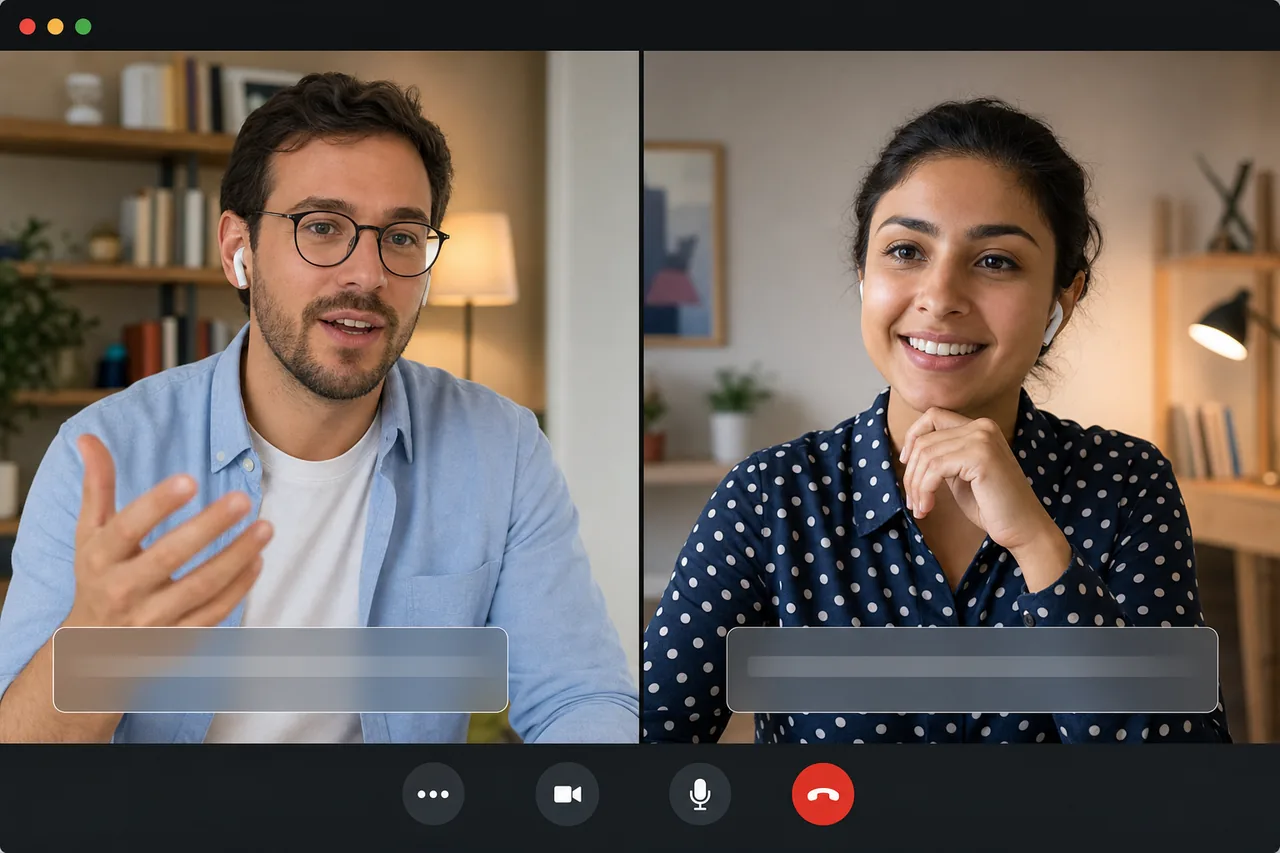
Looking for a WhatsApp video call translator that lets you talk live with someone who speaks another language? The honest answer is simple: WhatsApp does not translate live call audio into another spoken voice. It is excellent for messaging and everyday calls, but a WhatsApp audio or video call does not become a two-way translated voice call by turning on a hidden setting.
The workaround is straightforward: use WhatsApp to send a link, then run the conversation in a browser room built for real-time voice translation. In that room, you speak and listen in your native language, the other person does the same, and both sides get live captions to confirm names, numbers, and details.
WhatsApp video call translator: what actually works
When people search for a WhatsApp video call translator, they usually mean one of three things:
- translating written chat messages;
- translating a recorded voice note after it has been sent;
- translating a live audio or video call while both people are speaking.
The third one is the important business-call case - and it is the one WhatsApp does not handle natively as live translated voice. You can still run the conversation, but it needs a different setup.
For quick written messages, phone-level translation features or copy/paste tools can help. For recorded voice notes, transcription can sometimes turn audio into text first. But that is not the same as a live call. On a live call, the person is speaking now, you need to understand now, and you need to reply without making the call feel like a broken text exchange.
That is why a turn-by-turn phone translator usually feels awkward on a real call. Someone speaks, someone pauses, someone holds a second device near the speaker, someone waits for text or playback, and the rhythm disappears. It may be acceptable for a quick phrase. It is not how you want to handle a sales call, customer support issue, interview, or client conversation.
How to translate a WhatsApp call in practice
You cannot make the WhatsApp call itself speak another language live. The practical flow is:
- Open a Talkniva room in your browser.
- Send the room link through WhatsApp. You can paste it into the same chat where you planned the call.
- The other person joins by link. No app install, no account, no platform license.
- Each side speaks and listens in their own language. You hear the other person translated into your language; they hear you translated into theirs.
- Use captions for precision. Both sides see live captions, which helps with names, numbers, dates, prices, and next steps.
In other words, WhatsApp stays useful for coordination. It is where you message, agree on the time, and share the link. The translated conversation itself happens in the browser room, because that is where the speech-to-speech translation can run both ways.
WhatsApp calls vs. a live voice translation room
Here is the clean comparison.
| WhatsApp native call | Talkniva translated room | |
|---|---|---|
| Live voice translation | No translated voice for the call | Yes, translated voice both ways |
| Captions | Not the core call experience | Captions for both sides |
| Guest setup | WhatsApp app and account | Browser link, no account |
| Best for | everyday calls with people who share a language | business calls across languages |
| Flow | normal call, but no translation | each side speaks and listens in their own language |
This does not make WhatsApp the wrong tool. It just means it solves a different job. Use WhatsApp for messaging and normal calls. When the problem is “we need to understand and be understood live in different languages,” use a speech-to-speech room and send the link through WhatsApp.
The same distinction matters on meeting platforms too. Native translation in tools like Google Meet, Microsoft Teams, and Zoom is often based on translated captions - text you read on screen - not a translated voice the other person hears. If you are comparing platforms, see our guides to Google Meet real-time translation, Microsoft Teams real-time translation, and Zoom real-time translation.
When this is worth using
A live voice translator is overkill for a casual “what time should we meet?” message. It is useful when the conversation matters enough that slow typing, broken pauses, or misheard details create risk.
Use it for:
- a sales or discovery call with an international client;
- customer support where the customer is more comfortable in another language;
- a contractor or partner call where details and dates matter;
- an interview or onboarding conversation;
- a tutoring or coaching session where both people need to talk naturally.
The core benefit is not just translation. It is flow. You speak and listen in your native language, the other person speaks and listens in theirs, and the call can keep moving like a real conversation.
What to expect from Talkniva
Talkniva is not a WhatsApp plugin, overlay, or recorder. It is a separate browser room for real-time voice translation. That separation matters because it keeps the setup simple: the host creates the room, sends a link, and the guest joins without installing anything.
The product is built for 1:1 business calls. It supports browser rooms with camera, translated voice, and live captions. It supports 13 output languages today: English, Portuguese, Spanish, French, German, Italian, Japanese, Korean, Chinese, Russian, Hindi, Indonesian, and Vietnamese. Input speech is detected automatically, so each person can just talk.
Pricing is prepaid minutes, not a subscription. That makes it practical for the occasional important call: buy minutes, use what you need, and stop. You can check the current packs on the pricing page, and see the full language list on languages.
One more point for sensitive calls: Talkniva does not record or store your calls, audio, video, or transcripts.
How to prepare the other person
If you are moving a WhatsApp call into a translated room, keep the invitation simple. You do not need to explain the whole product. Send a message like:
I want to make sure we both understand each other clearly. I will send a browser link for the call. You do not need to install anything - just open it and speak your language.
Then send the Talkniva room link. Once both people are inside, speak normally. If a name, number, deadline, price, or address matters, say it slowly and confirm it using the captions.
Frequently asked questions
Does WhatsApp have a video call translator? Not for live voice. WhatsApp can help with written messages in some contexts, but it does not turn a live audio or video call into translated speech for the other person to hear. For that, use a speech-to-speech room like Talkniva and send the link through WhatsApp.
How do I translate a WhatsApp video call live? You cannot translate the WhatsApp call itself into live voice. The practical workaround is to open a browser room that translates both sides, share that link through WhatsApp, and have each person speak and listen in their own language.
Can I use Google Translate during a WhatsApp call? You can try a turn-by-turn setup on another device, but it breaks the flow because people have to pause, repeat, read, and switch modes. For business calls, a live speech-to-speech room is more natural.
Does the guest need to install Talkniva? No. The host creates the room and sends a link. The guest joins in the browser with no app install and no account.
Is Talkniva a WhatsApp plugin? No. Talkniva is a separate browser room for translated calls. You can use WhatsApp to send the link, then talk in the Talkniva room with translated voice and captions.
Bottom line
If you need a WhatsApp video call translator, the important thing to know is that the live voice translation will not happen inside WhatsApp itself. Use WhatsApp to coordinate and send the link. Use Talkniva for the translated call.
For your next business conversation across languages, create a Talkniva room, share the link, and let both sides speak and listen in their own language.